The choice between a laser printer and an inkjet printer is based on measurable parameters: cost per page, monthly print volume, type of documents produced, and energy consumption. These two printing technologies operate differently, and their performance varies significantly depending on usage. Comparing their technical characteristics allows for a decision without relying on preconceived notions.
Cost per page and total cost: laser vs. inkjet in numbers
| Criteria | Laser Printer | Inkjet Printer |
|---|---|---|
| Purchase price | Higher (especially in color) | Often more accessible |
| Cost per monochrome page | Low due to long-lasting toner | Variable, advantageous with tanks |
| Cost per color page | Moderate to high | Low with tanks, high with standard cartridges |
| Consumable lifespan | Several thousand pages per toner | Several hundred to several thousand depending on the system |
| Electricity consumption | Higher (fusing heat) | Significantly lower |
| Device durability | Designed for high volumes | Variable depending on the range |
The toner in a laser printer does not dry out, reducing waste for users who print irregularly. In contrast, standard ink cartridges can dry out after several weeks of inactivity, leading to an invisible additional cost.
To fully understand the differences between laser and inkjet printers, it is also essential to consider the cost of replacing the drum in lasers, a wear part often overlooked in quick comparisons.
Professional inkjet: a range that blurs the line with laser
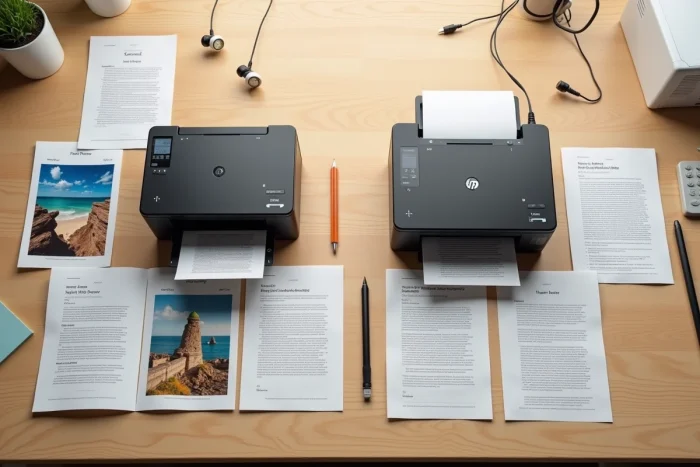
In recent years, HP with PageWide, Epson with WorkForce Pro, and Brother with its Business Smart ranges have marketed high-yield inkjet printers designed for the office. These models achieve speeds comparable to A4 lasers and offer large capacity tanks or cartridges.
Their cost per color page is on par with or even below that of color lasers. Energy consumption also remains lower since inkjet does not need to heat a fusing oven.
This evolution is still not well integrated into general purchasing guides, which continue to classify inkjet as a home technology. For a modest-sized office that prints regularly in color, a professional inkjet can have a total cost lower than that of a color laser.
Print quality by document type
Laser technology projects powder toner onto paper and then fixes it with heat. The result yields dense, sharp black text, particularly readable on standard paper. For high-volume monochrome documents (letters, contracts, reports), the sharpness of laser text is hard to match.
Inkjet sprays micro-droplets of liquid ink. This method produces finer gradients and a wider color gamut. Printing photos, colorful graphics, or marketing materials directly benefits from this precision.
Paper and media: a gap often underestimated
Lasers work well on ordinary paper but do not tolerate thick or textured media well. The heat from the fusing oven also limits the use of envelopes or labels on certain models.
Inkjet printers accept a wider variety of media:
- Glossy or matte photo paper, with results close to photo lab quality on high-end models
- Thick and cardstock paper, useful for invitations or business cards
- Textile transfer media or self-adhesive vinyl, available on most inkjet models
The versatility of media is the true structural advantage of inkjet over laser, including in professional ranges.
Repairability and lifespan: a criterion that has become regulatory
The extension of the right to repair in the European Union and France (repairability index, obligation to supply spare parts) changes the game. This criterion now concretely differentiates the two technologies.
Laser printers use modular components (drum, fuser, transfer roller) that can be replaced individually. The availability of these parts over the long term tends to extend the lifespan of the device.
On the inkjet side, two architectures coexist:
- Models with print head integrated into the cartridge, which avoid immobilizing head failures but generate more waste with each replacement
- Models with fixed heads and refillable ink tanks, more durable and less costly in consumables, provided the manufacturer maintains the availability of replacement heads
- Professional ranges with long-lasting fixed heads, positioned to compete with lasers on durability
Before purchasing, checking the repairability score and the manufacturer’s spare parts policy provides more reliable information than a simple comparison of catalog prices.
Monthly print volume: the criterion that makes the difference
Beyond technical characteristics, it is the print volume that most clearly guides the choice. A monochrome laser printer is justified from a few hundred pages per month: the long-lasting toner and printing speed reduce cost and time spent.
For occasional use (a few dozen pages per month), a tank-based inkjet avoids the drying problem of standard cartridges while maintaining a low cost per page. A tank-based inkjet is better suited than a laser for small color volumes.
For an office that prints several hundred color pages per month, high-yield professional inkjets deserve to be directly compared with color lasers. The total cost over three years, including consumables and energy, distinguishes the two options more reliably than the initial purchase price.
The purchase price represents only a fraction of the actual cost of a printer. Calculating the total cost of ownership over the expected usage period, including consumables, energy, and maintenance parts, remains the most reliable method for making a choice suited to printing needs.